
LinkedIn Post Analytics for Company Pages: A Practical Guide

A company page can look busy while producing little commercial value. The dashboard shows impressions, reactions, and follower growth, the team celebrates the strongest post, and then sales asks the question nobody can answer: did any of this create demand?
That question changes how you should read LinkedIn post analytics for company pages. Engagement is useful, but it's only the first layer. A practical measurement system connects distribution to qualified audience activity, website actions, accounts, opportunities, and revenue, while staying honest about what the data can and can't prove.
Table of Contents
- Accessing LinkedIn Company Page Analytics
- Core Metrics That Actually Matter
- Interpreting Follower Demographics and Post Audiences
- From Engagement to Revenue - The Attribution Challenge
- Optimization Strategies Based on Content Goals
- Real-World Case Study - From Data to Decisions
- Building Your Weekly Analytics Review Process
Accessing LinkedIn Company Page Analytics
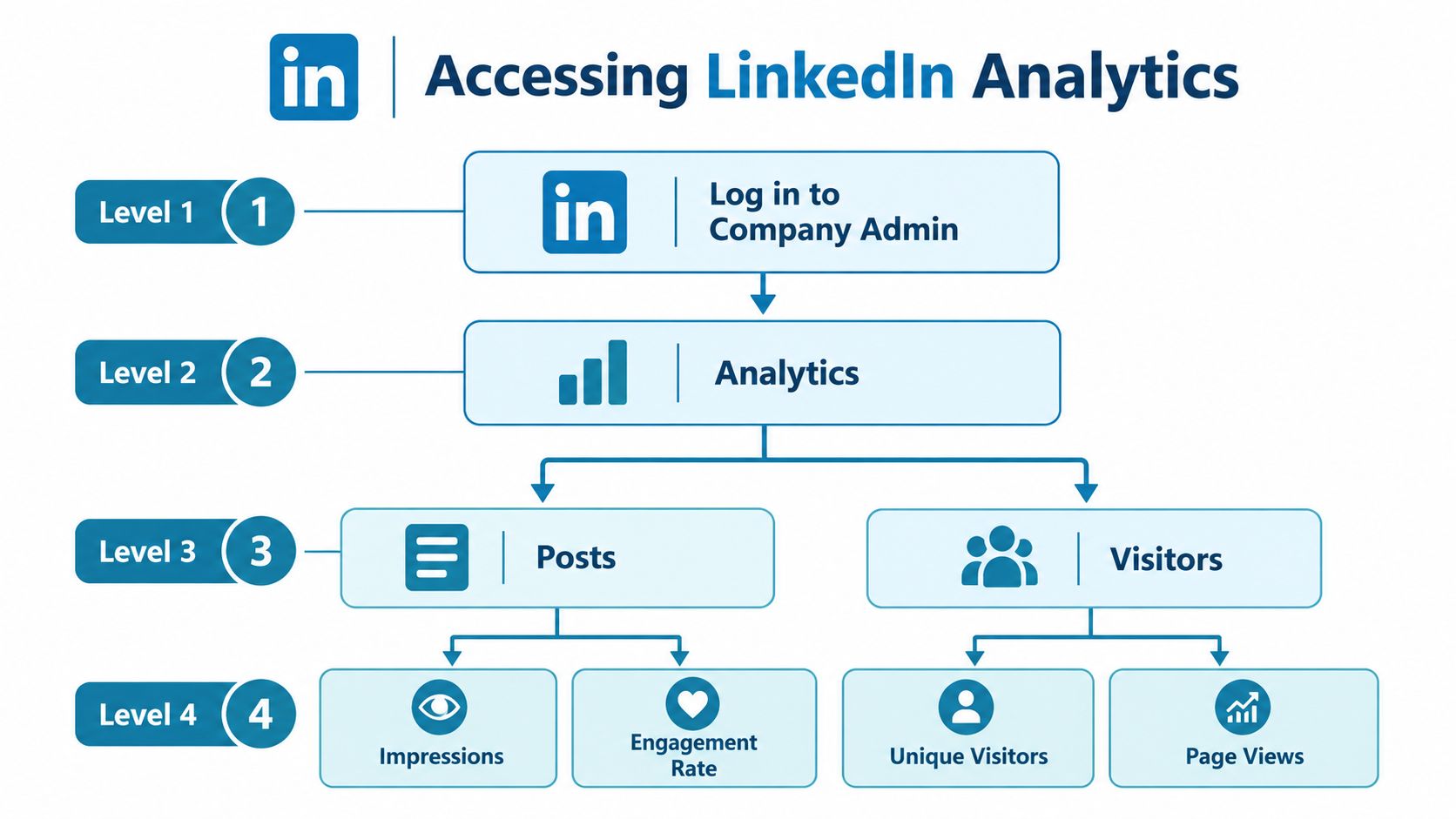
You'll need the appropriate administrator access to view company-page reporting. After logging in to LinkedIn, open the company page you manage and enter the Admin view. From the page management navigation, select Analytics. LinkedIn organizes the core company-page reporting experience around three foundational views: Visitors, Updates, and Followers.
Start with the Updates view
Open Updates when you want to evaluate individual posts or identify patterns across published content. You'll find metrics such as impressions, clicks, comments, and social engagement percentage there. Use it to answer practical questions:
- Which subjects earn attention from the audience?
- Which posts lead people to take an action?
- Do product education posts attract a different response from brand announcements?
- Are comments and shares increasing, or are reactions doing all the work?
You can also use a LinkedIn post analyzer to organize post-level observations alongside your native dashboard data. The tool should support your review, not replace LinkedIn's own reporting.
Use Visitors for page context
The Visitors view adds traffic context that individual post analytics can't provide. It shows page-visit trends and aggregated professional attributes of members who viewed the page. A post may generate modest interaction but still prompt relevant prospects to investigate the company page, so page visits deserve a place in the analysis.
Read Followers as an audience signal
The Followers view describes the professionals who've chosen to stay connected to the page. It helps you understand whether your audience is becoming more relevant over time, but it shouldn't be treated as a list of people who saw a specific post. Keep the three views separate, then connect them through dates, themes, and account activity.
Core Metrics That Actually Matter
Impressions are a distribution metric, not a reading-comprehension metric. LinkedIn defines an impression as the number of times a post was shown on the platform and cautions that the figure is an estimate. A post can accumulate visibility without prompting a click, conversation, page visit, or commercial action.
The useful question is how exposure relates to interaction. LinkedIn's engagement rate is calculated as qualifying interactions divided by impressions. Interactions include clicks, reactions, comments, and shares. For example, 1,000 impressions and 50 qualifying interactions produce a 5% engagement rate under LinkedIn's definition, as documented in its official analytics guidance.
Build a post-level view
A working dashboard should include:
- Impressions: The estimated scale of distribution.
- Clicks: Evidence that the post or its call to action generated interest.
- Reactions: A low-friction response that shows recognition or sentiment.
- Comments: Visible participation and an opportunity to inspect audience concerns.
- Shares or reposts: An indication that people considered the content useful enough to distribute.
- Engagement rate: A way to compare response relative to exposure.
- Followers acquired: A connection between a post and longer-term audience growth.
No single metric should decide whether a post worked. A high-impression post with little meaningful interaction may have broad reach but weak relevance. A post with fewer impressions and strong clicks from target accounts may be more valuable for demand generation.
Practical rule: Compare each post with your page's own historical performance, not with an arbitrary “good” benchmark from another industry.
The comparison becomes more useful when you group posts by topic, format, audience, and call to action. A product explainer should not be judged by the same commercial standard as an employer-branding update. To track content metrics effectively, preserve the context around every result, including the intended audience and the business action the post was designed to support.
Use a LinkedIn engagement rate calculator when you need a quick check, then validate important reporting against the native dashboard.
Interpreting Follower Demographics and Post Audiences
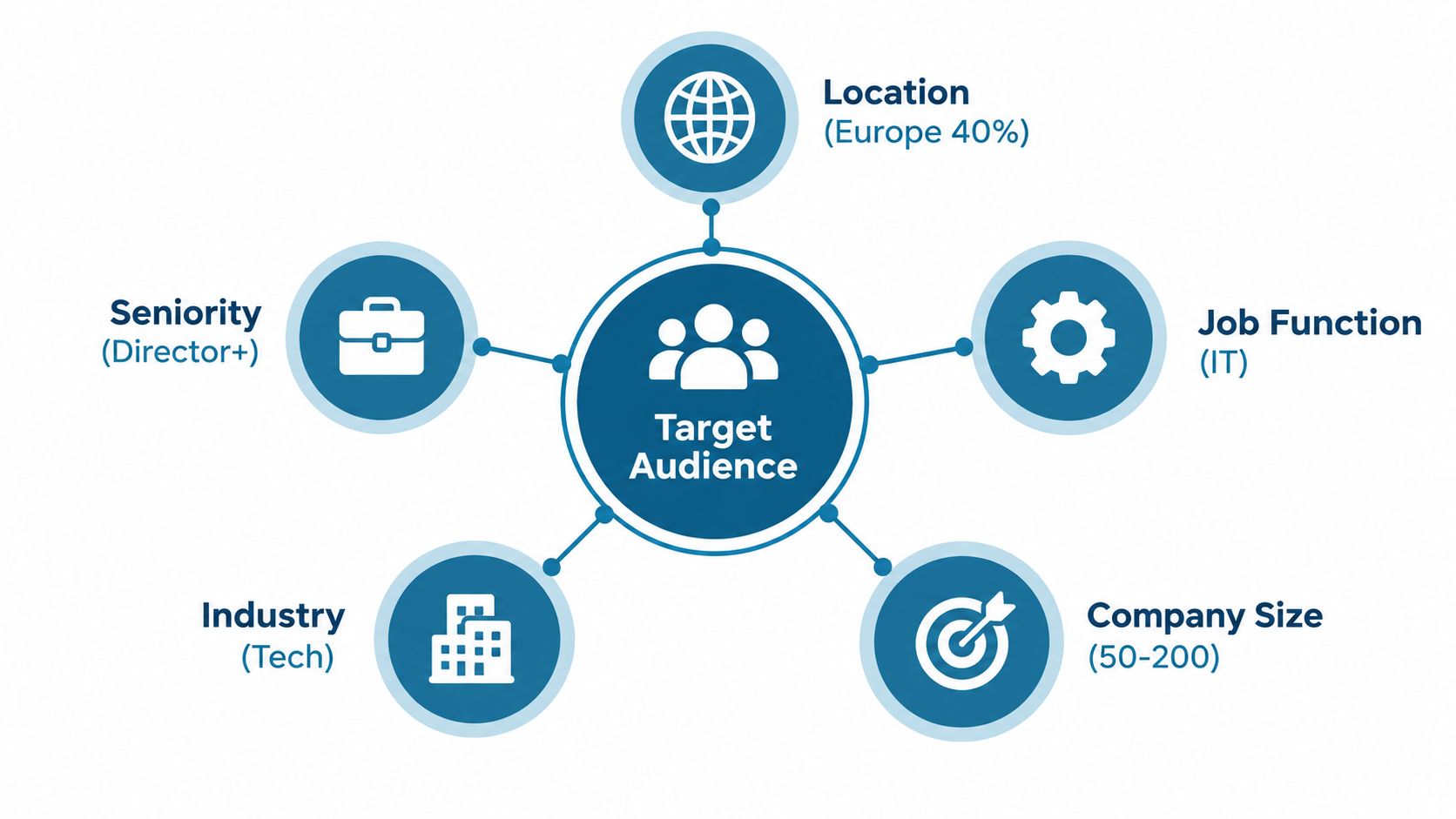
Follower demographics are useful, but they're easy to misread. LinkedIn's follower analytics include categories such as location, seniority, job function, industry, and company size. These describe the current follower base, not necessarily the audience for an individual post.
The reporting window creates another trap. LinkedIn's documentation explains that follower demographics don't change based on the selected reporting dates. The data also updates only after a minimum number of unique visitors view a post, and demographic results appear as percentages of unique visitors rather than a complete census of everyone exposed. Review the platform's follower analytics documentation before drawing conclusions from small movements.
Separate the audiences
For practical analysis, maintain three distinct populations:
- Followers: People who've chosen to receive ongoing updates from the page.
- Unique post viewers: People represented in the audience data for a particular update, where available.
- Engaged accounts: Organizations or account groups connected to meaningful actions, identified through your wider marketing and sales systems.
A post can reach many non-followers, while the follower report continues to reflect the existing community. Conversely, a page can attract the right type of follower without producing strong post-level engagement if the content doesn't match that audience's immediate interests.
Look for buying-committee fit
Compare audience signals by theme and content purpose. For example, a technical implementation post may attract practitioners, while a commercial risk post may draw more senior readers. Neither audience is automatically better. The relevant question is whether the audience matches the role that should take the next business action.
Record absolute counts alongside percentages where LinkedIn provides them, document the reporting window, and avoid treating small shifts as meaningful when the platform thresholds or suppresses data. Use demographic trends to guide content decisions, not to claim that every person in a category saw or responded to a post.
Timing can be tested as part of the process, but don't let a LinkedIn best time to post recommendation override audience quality and message relevance.
From Engagement to Revenue - The Attribution Challenge
A company-page post can influence a deal without creating the original demand. It can also receive strong engagement from people who'll never become customers. That's why engagement rate isn't revenue attribution.
LinkedIn's own 2025 B2B research surveyed 1,014 senior marketers across the United States, United Kingdom, France, and India, and describes continued pressure on marketers to prove revenue impact. LinkedIn has introduced Revenue Attribution Report capabilities that connect opportunity and pipeline data with measures such as influenced revenue, pipeline, and return on ad spend, as described in its announcement about proving campaign performance.
Organic company-page analytics generally show exposure and interaction. Revenue analysis requires additional operating discipline:
- Defined conversion events: Decide what counts as a meaningful website or sales action.
- CRM integration: Capture campaign and content context alongside contact, account, and opportunity records.
- Account-level matching: Connect engaged organizations with known target accounts where your systems allow it.
- Documented time windows: Specify how long after engagement an action can be associated with the post.
- An attribution model: Distinguish sourced activity, influenced activity, and incremental impact.
Use a measurement ladder
Start with the metrics LinkedIn gives you, then add increasingly commercial evidence:
Level one, distribution: Impressions and unique exposure indicate whether the content entered the market conversation.
Level two, qualified engagement: Clicks, comments, reposts, page visits, and follower acquisition show whether people took visible actions.
Level three, website behavior: Track landing-page visits, repeat visits, form starts, downloads, and other defined events with campaign tagging and analytics.
Level four, account activity: Compare engaged accounts with target-account lists, sales activity, and changes in opportunity status.
Level five, commercial outcomes: Report sourced or influenced opportunities, pipeline, and closed revenue only when the underlying matching and model are defensible.
High engagement can validate relevance. It cannot, by itself, prove that a post created demand, accelerated a deal, or caused revenue.
The most credible report answers three separate questions. Did the post reach the intended market? Did it generate a qualified action? Did that action connect to an opportunity or revenue event? Keeping those questions separate prevents a dashboard full of activity metrics from becoming an exaggerated business narrative.
Optimization Strategies Based on Content Goals
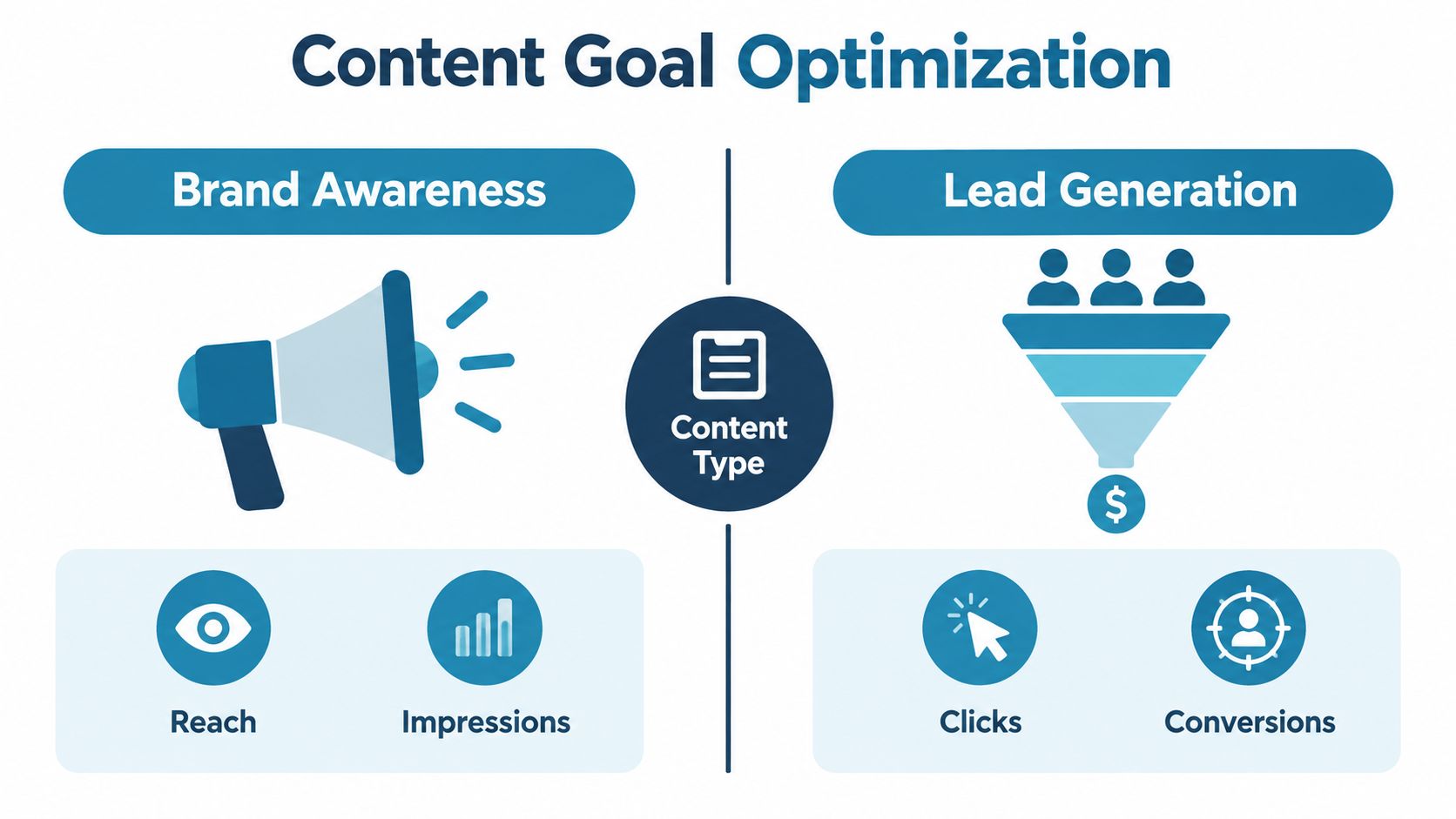
Optimization depends on the job a post is meant to perform. Brand awareness, lead generation, and thought leadership need different success criteria, so forcing every update into one engagement benchmark creates bad decisions.
LinkedIn's company-page guidance reports that pages with complete information receive 30% more weekly views than incomplete pages, and that companies posting weekly see 2x higher engagement. These are platform-reported directional benchmarks, not universal causal rules, but they support two practical checks: complete the page before diagnosing distribution, and judge publishing consistency alongside post performance. LinkedIn also introduced Product Pages in December 2020, giving organizations a separate page-level destination for individual products and services, as outlined in its company-page analytics guidance.
Choose the metric that matches the goal
| Content goal | Primary evidence | Useful supporting signals |
|---|---|---|
| Brand awareness | Impressions and distribution | Page visits, follower acquisition, reposts |
| Lead generation | Clicks and defined website actions | Engaged accounts, form activity, opportunity movement |
| Thought leadership | Comment quality and relevant participation | Reposts, seniority fit, recurring topic performance |
For awareness, broad reach can be a valid outcome, especially when the content introduces a category or clarifies a problem. For lead generation, reach matters less than whether the right people move from the post to a measurable next step. For thought leadership, a small number of detailed comments from relevant professionals may tell you more than a large reaction count.
Place one primary call to action in conversion-oriented posts. Keep educational posts useful even when readers don't click, because forcing every update to sell can reduce trust and make the page feel like a sequence of advertisements. The Taja AI LinkedIn strategy insights can help teams think through content themes and strategic intent, but your own page data should determine which themes deserve more investment.
The practical dashboard should still retain impressions, clicks, reactions, comments, shares or reposts, engagement rate, and followers acquired. Interpret each against the post's purpose and your page's historical averages.
Real-World Case Study - From Data to Decisions
Consider a fictional B2B software page serving established businesses. The team believes its thought-leadership posts are performing well because they receive visible reactions, but sales conversations remain disconnected from the content calendar. Instead of treating the dashboard as a popularity ranking, the team compares post themes, clicks, comments, page visits, follower fit, and account activity.

The pattern in the data
The Updates view reveals that detailed product comparisons and implementation guidance attract more clicks and more relevant questions than broad opinion posts. The Visitors view shows page interest from organizations outside the company's preferred account profile. Follower demographics also suggest that the page has built an audience with useful professional interest, but not consistently among the senior roles involved in purchase decisions.
The team doesn't conclude that thought leadership has failed. Instead, it separates the role of each content type. Broad posts support awareness and conversation, while comparison and implementation posts create clearer paths toward evaluation.
The strategic adjustment
The content calendar shifts toward practical proof:
- Evaluation content: Comparisons, buying criteria, and implementation considerations.
- Commercial education: Business risks, operational trade-offs, and the consequences of delaying a decision.
- Audience-specific explanations: Separate versions for practitioners, managers, and executives where the message materially differs.
- Clear next steps: A relevant landing page or resource rather than a generic invitation to contact sales.
The team then adds campaign tagging to website links and gives sales a way to record LinkedIn-influenced conversations in the CRM. It reviews whether engaged accounts later visit important pages, enter an active sales process, or appear in opportunity reporting.
The lesson isn't that one content format always wins. It's that the team stops asking which post was most popular and starts asking which post generated the most useful evidence for the next business decision. Some updates remain valuable because they build familiarity, while others earn priority because they connect audience interest with measurable commercial movement.
Building Your Weekly Analytics Review Process
A useful review should fit into the team's existing workflow. Pull the latest Updates data, then inspect the strongest and weakest posts by more than one measure. A post that ranks highly by impressions may rank poorly by clicks, while a post with modest distribution may produce the most relevant discussion.
Follow a repeatable checklist
- Review recent posts: Identify the strongest and weakest updates by reach, engagement rate, clicks, comments, and reposts.
- Compare like with like: Group posts by purpose, topic, format, and call to action before judging performance.
- Check audience fit: Compare follower information and available post-audience signals with the roles, industries, locations, and company profiles you want to reach.
- Trace downstream activity: Review tagged website actions, engaged accounts, sales notes, and opportunity records.
- Record one decision: Write down one insight and one concrete change for the next publishing cycle.
- Preserve the history: Export or store recurring reports so you can compare trends beyond the view available in the native dashboard.
Keep the review focused. A long spreadsheet full of unassigned metrics won't improve the content calendar. A short record that links a post theme to an audience signal, a website action, and a next experiment is much more useful.
For reporting, use clear charts that show direction and context rather than decorative dashboards. These marketing analytics visualization tips are useful when you need to present performance to stakeholders who care about decisions, not social-media terminology.
Review LinkedIn activity alongside CRM evidence, and label conclusions carefully. “This post reached the intended audience and preceded account activity” is defensible. “This post caused revenue” requires stronger evidence.
Linkboost combines LinkedIn post analytics with discovery, commenting, and engagement-pod management, so teams can review impressions, likes, comments, and performance against account averages in one workflow. Visit Linkboost to see whether its distribution and measurement features fit your company-page process.